
RiseKit
My Role.
As the lead Visual/UI Designer, I lead this project from constructing accessibility & baseline guidelines for my visual design process to producing new style guides, interactive prototypes, and final designs. I worked alongside the Dev team & UX to redesign RiseKit’s candidate facing mobile experience.
Core Collaborators.
Lead Software EngineersLead UXDevelopers
Begin your job journey…RiseKit is a company that partners with several non-profit organization to give people from under-served communities equal access to jobs. Individuals from those organization are brought on to RiseKit’s platform through that partnership and are guided through the process of finding a job or resource. What is needed is a mobile app that communicates this and aids those individuals to complete their job search journey.The Project.
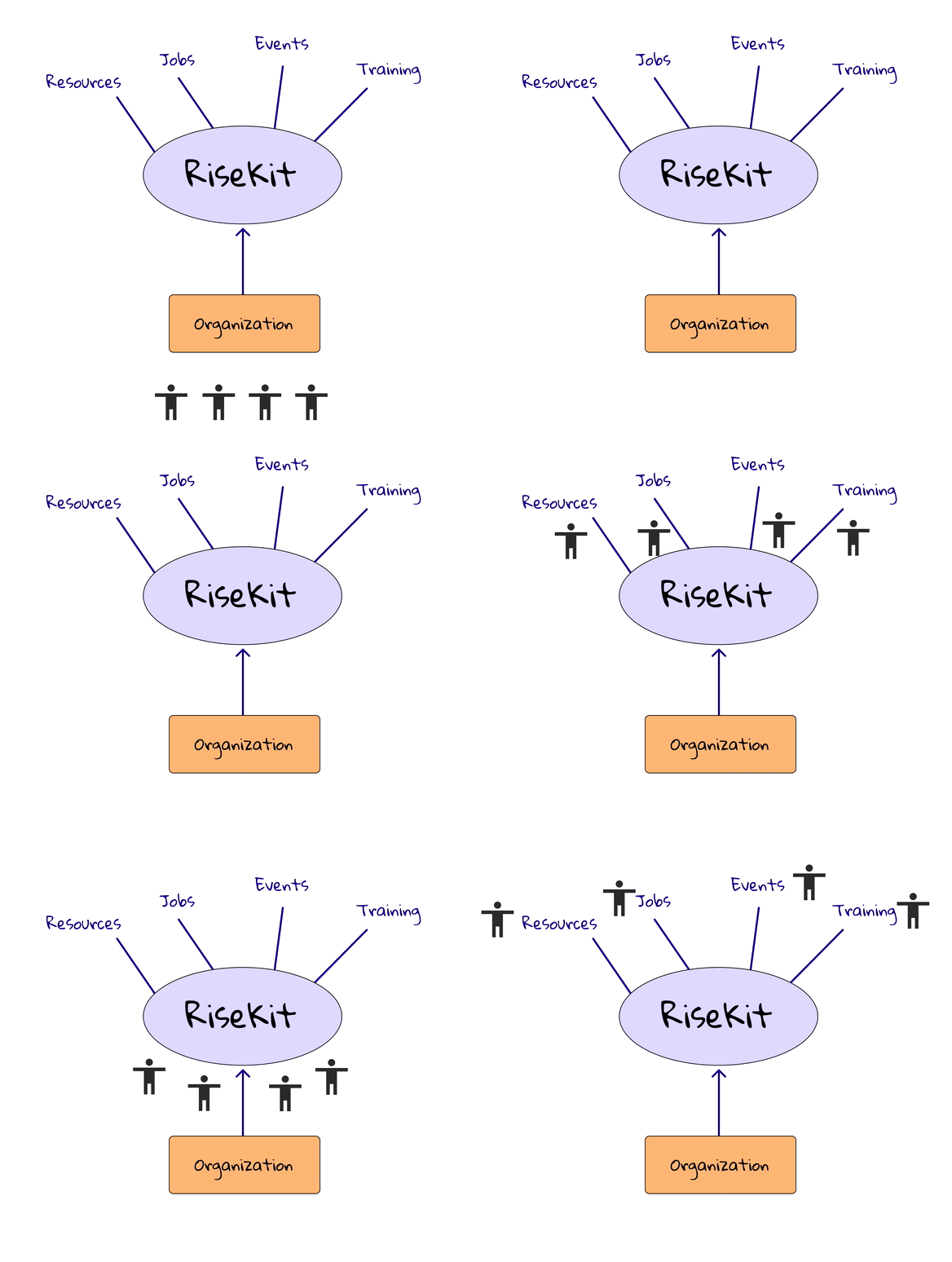
Made by me (People under an organization are referred to RiseKit; once joined, RiseKit is able to connect them to a variety of services and job opportunities)
The Strategy.
Internal Business Problem:
RiseKit’s mobile platform design wasn’t comprehensive resulting in alarming drop-off rates. External Business Problem:
1) Consistently breaking down and 2) Wasn’t understandable. This resulted in the push for a mobile re-design.The Process:
To attack these short comings, I had to make numerous documents to track what Orgs needed, what was feasible, and in my position: base the UI off of the “why” and the user-centered design process.Made by me
Why?
Why are we doing this?
As I looked through the platform I found that there were errors that needed attention:Prior information given by the UX Team was not considered
No design system
No consistency across the mobile platform.
Early Statistics.
Changes in data are at the bottom of this project.
(out of 233) —This refers to onboarding; it does not include those who A) Got a job, but didn't show up, B) Got an interview, but didn’t show up, or C) Dropped-off on a step once signed upNumbers came from FullStory — These are a few specific drop-out stats before sign up and tracking outside of RiseKit.
Email Click-through-rate: 1.78% (in Q3)
Examining & Specifying Design Needs
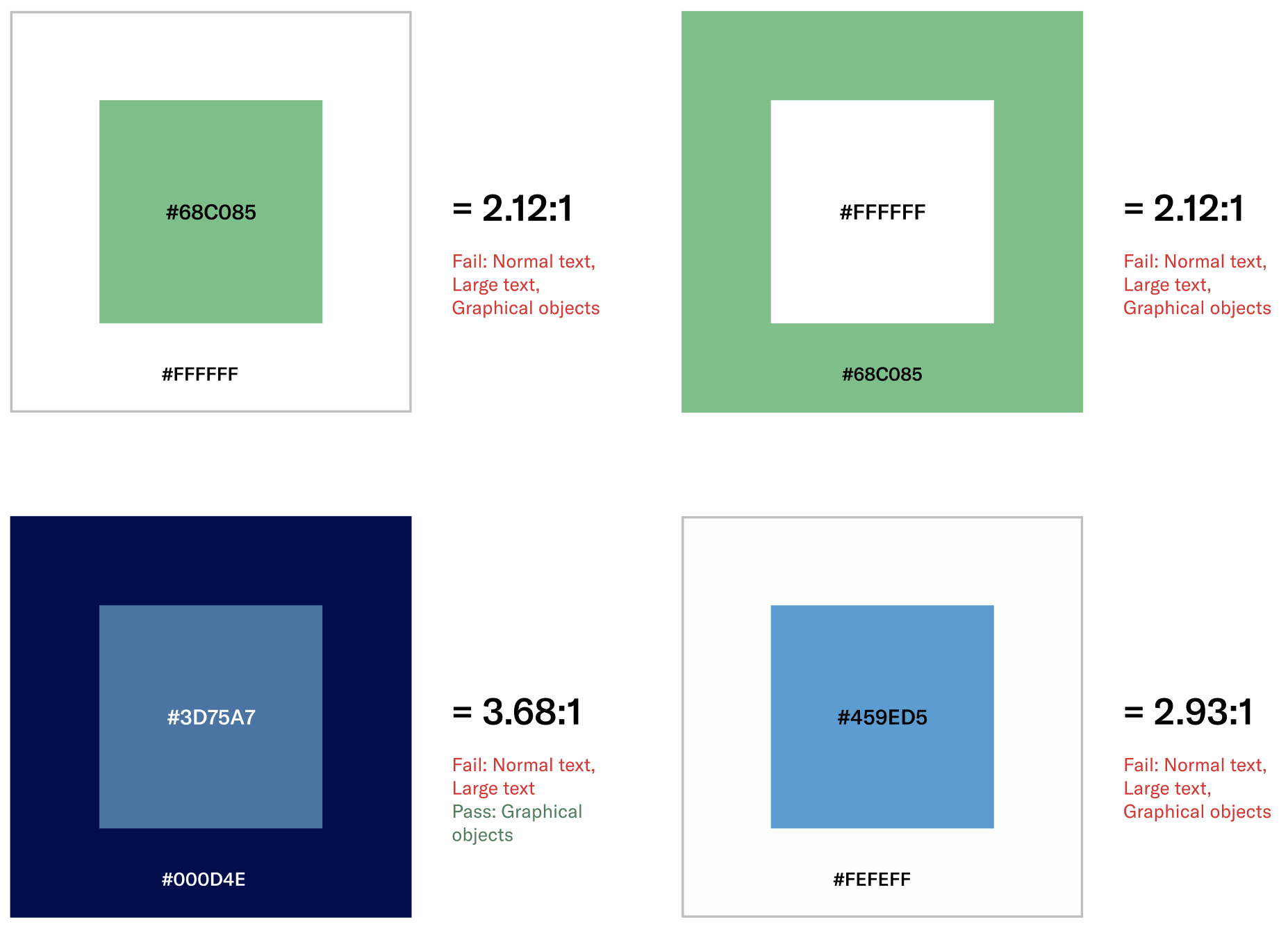
Color Contrast: After revisiting the colors used in the previous version of RiseKit, I found that almost all color combinations on the mobile experience were not WCAG compliant.
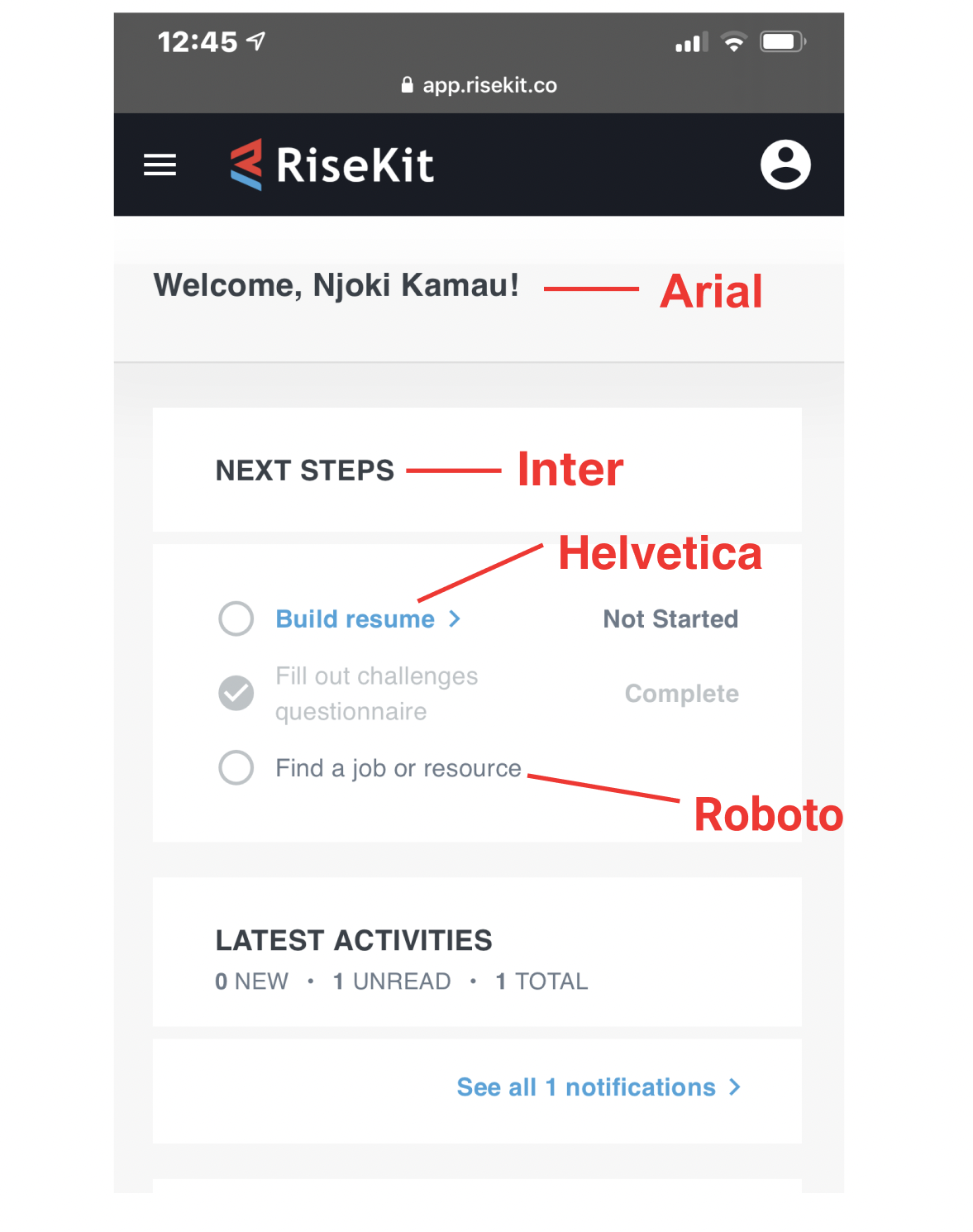
Conflicting typography: According to the Style Guide, all typefaces should've been Trebuchet, however nothing was. Though not necessarily jarring, in design, there needs to be uniformity so styles are easy to follow and doctor.
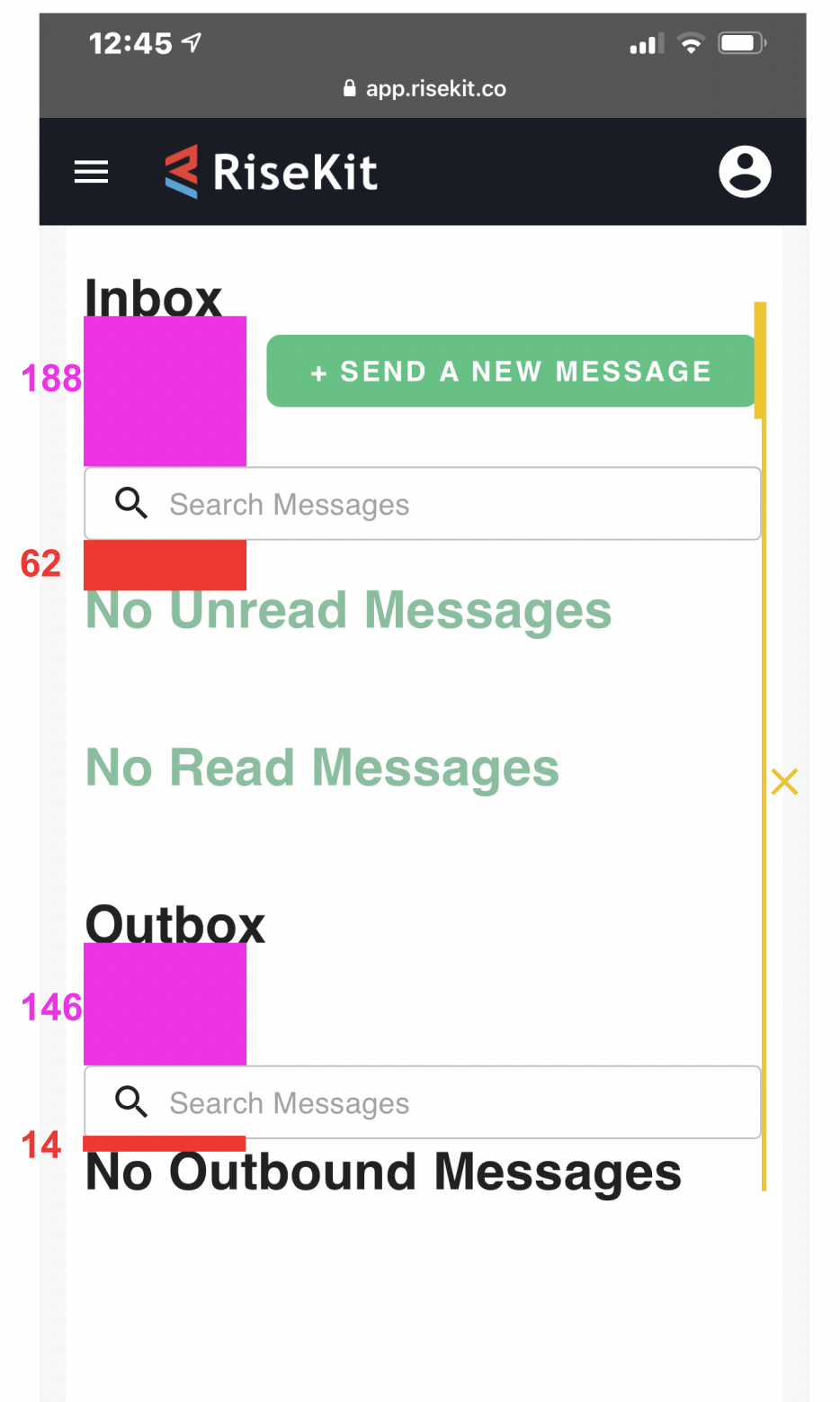
Bad alignment: A lack of grid when building hurt the design's visual hierarchy, information architecture, and spacing. Without gridded design, header association was difficult to follow and the relationships between components lacked consistency.
Competitive Analysis & Personas
Annotations
Due to not enough user interviews, we were left to use what we had to understand the common wants of the average RiseKit individual:Goals
Motivations
Influences
Frustrations
My Accessibility Guide & Interface Checklist
&
New Design System
Because it’s ONLY mobile design, the design system is a little smaller than a usual one would be. However, I wanted it to capture the essentials so that it would make it easier to refer back to components and icons used throughout the platform.Before I joined RiseKit
After I joined RiseKit
Before I joined RiseKit
After I joined RiseKit
Following accessibility guidelines of 44x44 dp icon sizing. Also making sure that the Dev Team receives icons that are 44x44 CSS
Before I joined RiseKit
After I joined RiseKit
Before I joined RiseKit
After I joined RiseKit
Site Map
Sitemap
Wireframes
Wireframe examples
Motion Use
When choosing motion, it came down to a few things:
Will we use one motion throughout the entire experience?
If not, why?
How will we settle on this motion?
Most users don’t want to spend too much time watching an ease-in or ease-in-and-out when they just want to get something done without waiting for a motion to die down.
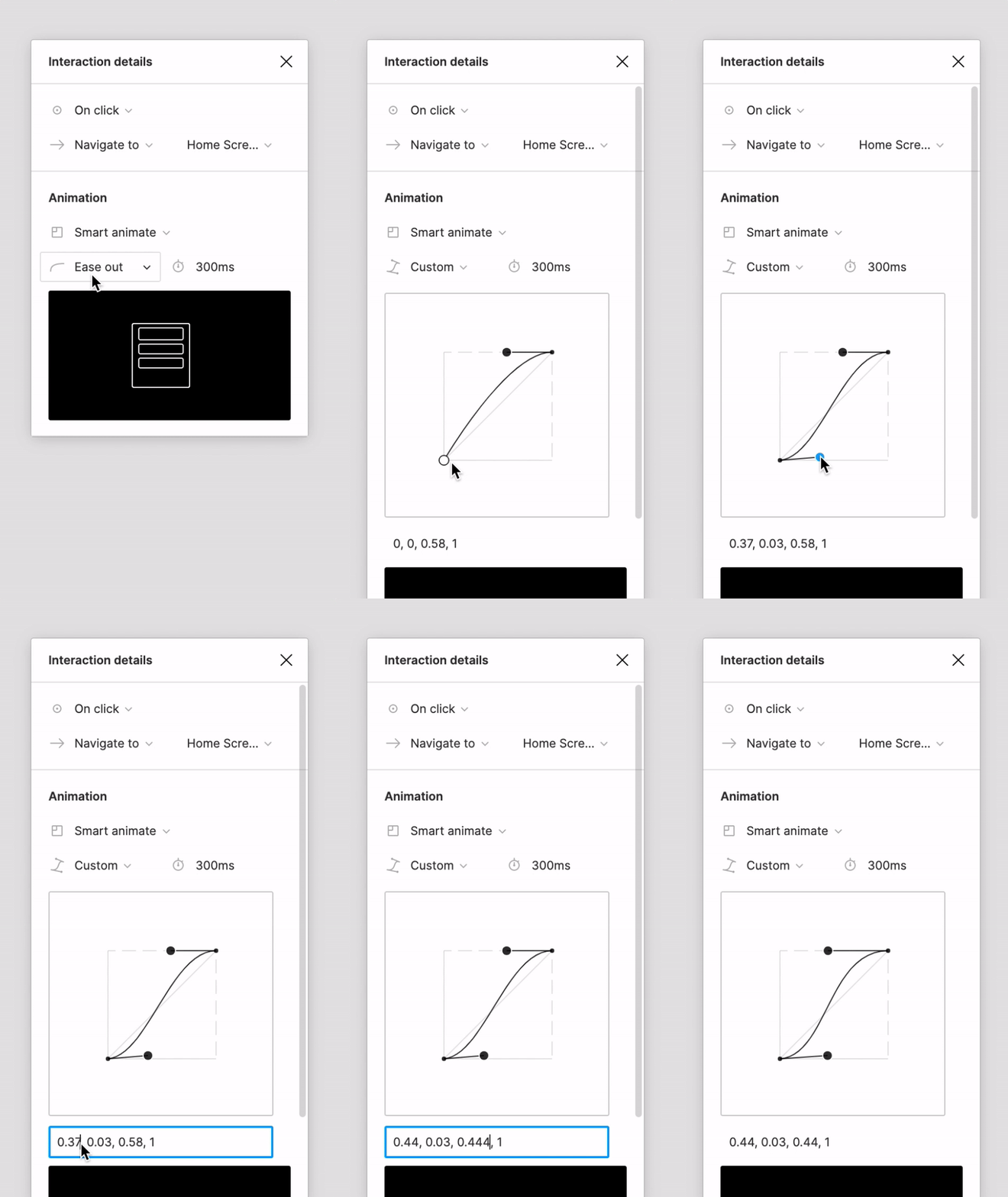
This custom Bézier curve is what I used in the Interaction Details, and the Home page to the right is how the drawers and sliding pages look using the custom animation.
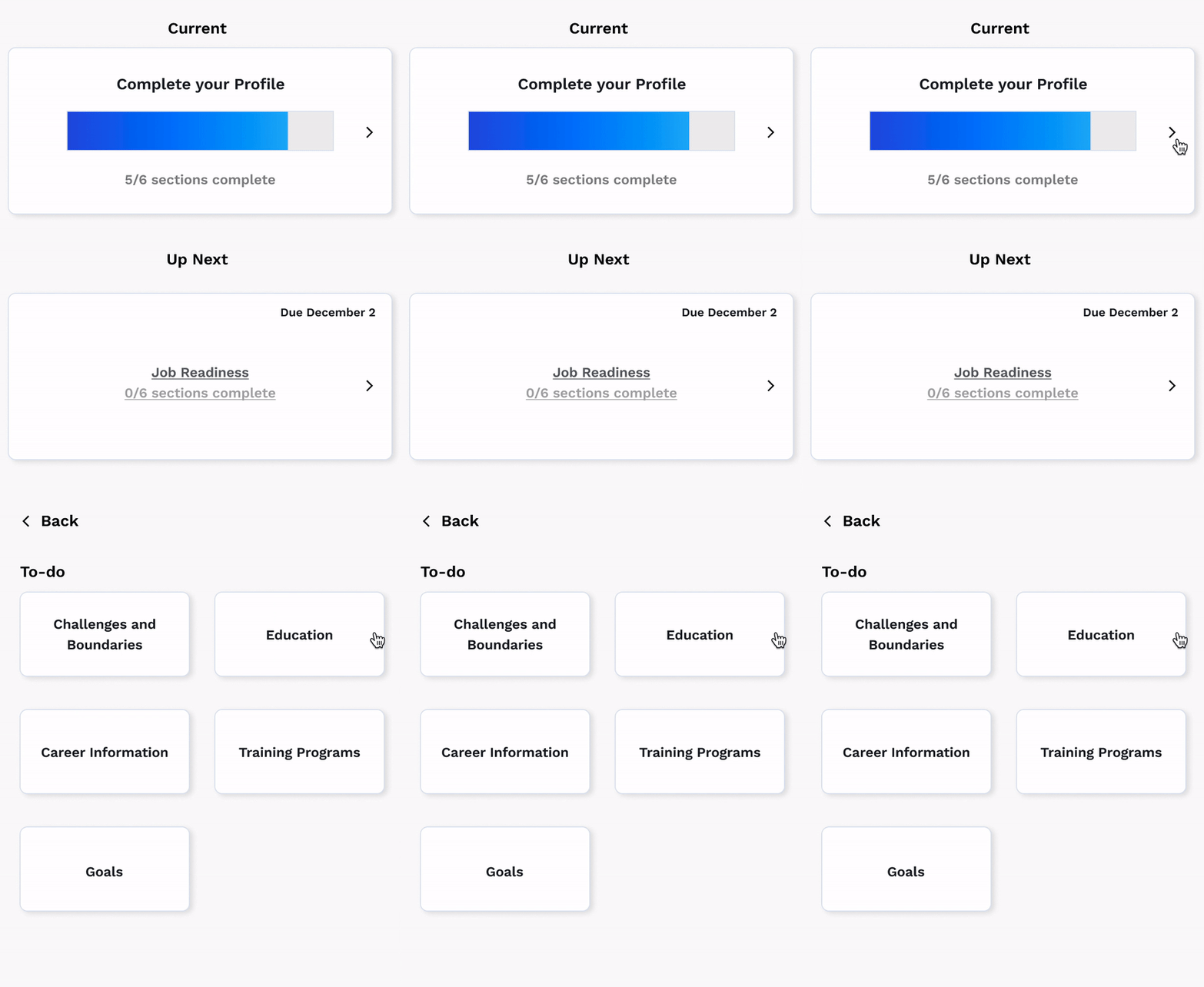
RiseKit platform design & flow.
All icons and illustrations shown are made by me in Illustrator.
Sign up
Users are personally invited to Risekit by whichever organization they are linked to. Once they click the invitation, they are taken to a quick sign up process. If a user’s information has already been filled out by their organization, they just need to verify the information and continue to RiseKit’s database.
Onboarding
Documents
Receive links
Be able to pin comments (place chat anchors) so that they can later refer to a stage in Chat if they’d like to.
Home
Documents (sent & received)
Links (jobs & resources)
Where they are in their journey to find a job/build a professional career, which is communicated through the progress bar.
They can complete their Profile here as well.
Pathway progress
Here is where users check their progress as they work towards building a strong profile for hiring managers to see and simply building their professional portfolio. By giving a general overview, I was able to give users a high level idea of:Which step they’re currently on and
What that step contains
*Note: Actual words (“Active” vs. “Non-Active”) were used to communicate what they needs to focus on; not just colors due to red-green color blindness.
Profile
All of a user’s information will be settled in their Profile section. Basic information, job seeking information, current situation information, and simple settings. Results & Reflection.
Click rate was 1.78% in Q3 and has jumped to 3.3% in Q4!
With a clear CTA and preview of what’s awaiting, user’s became more prone to return to RiseKit’s platform. CTA’s are known to make it clear to user’s where they need to go next, while also communicating that by clicking the button, they'll be directly taken to the message as opposed to having to get on whichever browser they commonly use to navigate to RiseKit’s platform.
Retention rate & Adoption rate changes
Looking back.
1.
Wish I had spoken up about data rates before development started.
2.
The sorting function should have been consistent. The “New to Old” sorting tool wasn’t intuitive at all and didn’t have a label on what it did.
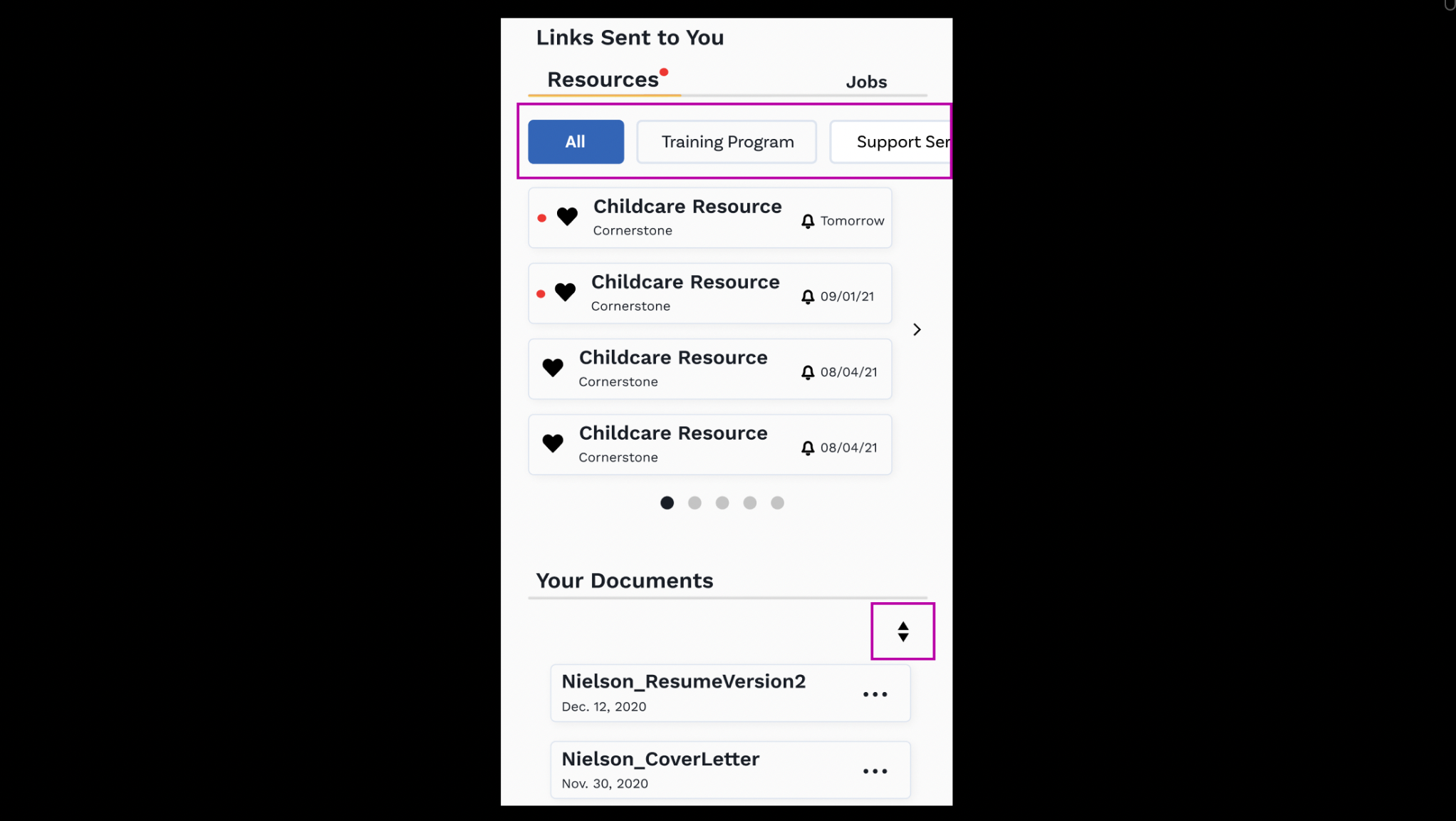
Next steps:
1.
I didn’t get to test the product on the actual user’s under the organizations joined with RiseKit…Only the organizations saw the designs and gave their feedback.
2.
Get quantitative feedback from recently launched product and reflect on how to update next release/update.