
JSTOR Digital Stewardship Services
Overview.
JSTOR Digital Stewardship Services (JDSS) is a stewarding platform that uses a new AI processing tool, Seeklight, to help librarians and archivists generate descriptions, transcriptions, and enhance and enrich their metadata at both the item and collection levels. This allows them to increase the discoverability of their digitized content across the world, all without compromising human judgment.
The “ask”.
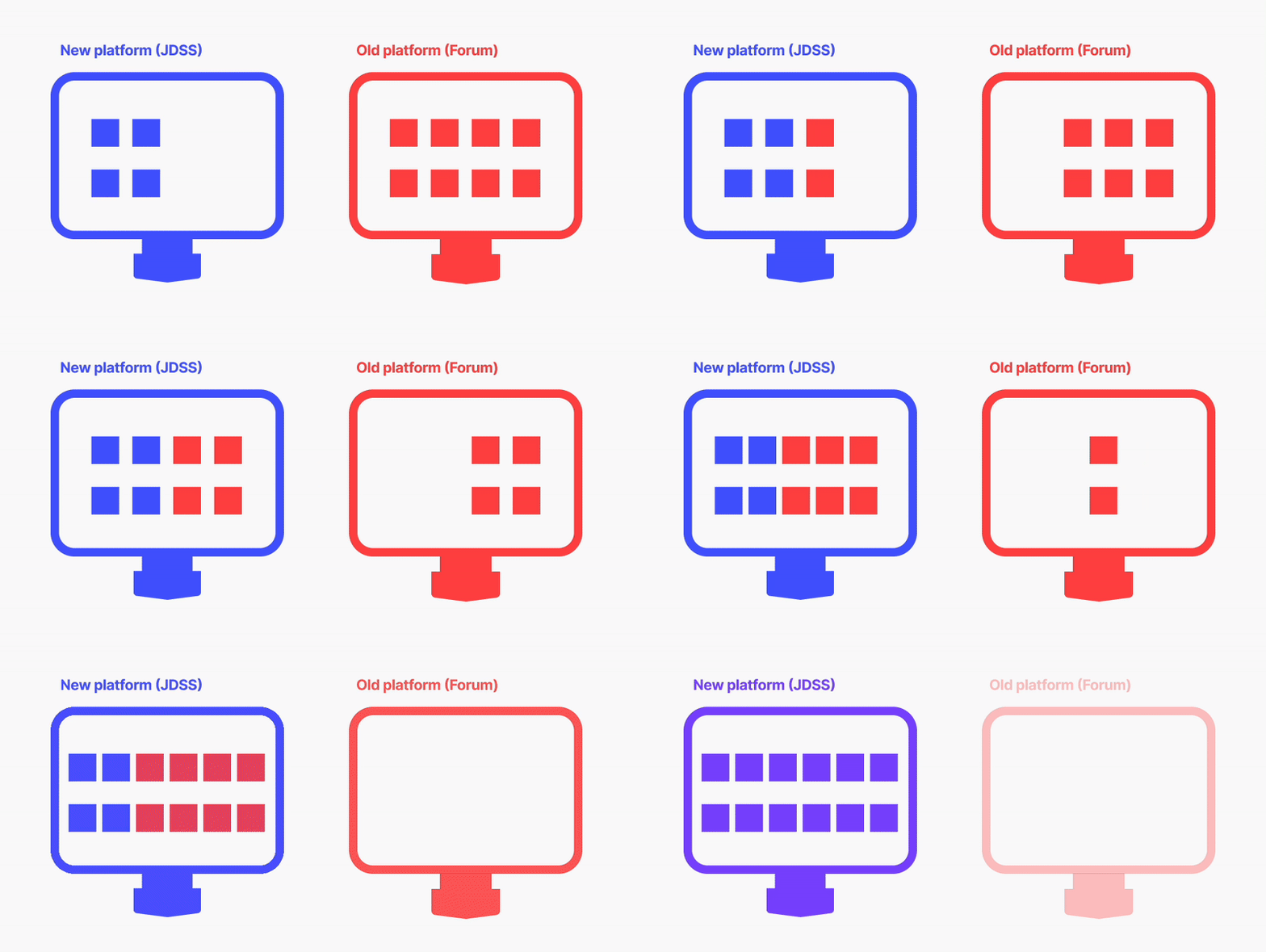
Currently, JSTOR has an existing platform that assists with cataloguing: Forum. This is an older tool that struggles to keep up with accessibility requirements and cater to the fast-changing pace of modern tech. Though it “does the job”, improvements were clear.
Create a new platform, JDSS, that supports all the old features from Forum and introduces and supports new features that will make users’ workflows more streamlined. This will include the preservation, processing, management, and sharing of uploaded content to JSTOR.
User research & Outcomes
Uncovering librarian and institutional challenges
We were able to connect with 120+ library leaders from around the world to discuss and uncover the everyday obstacles and practical barriers they face when managing their collections.
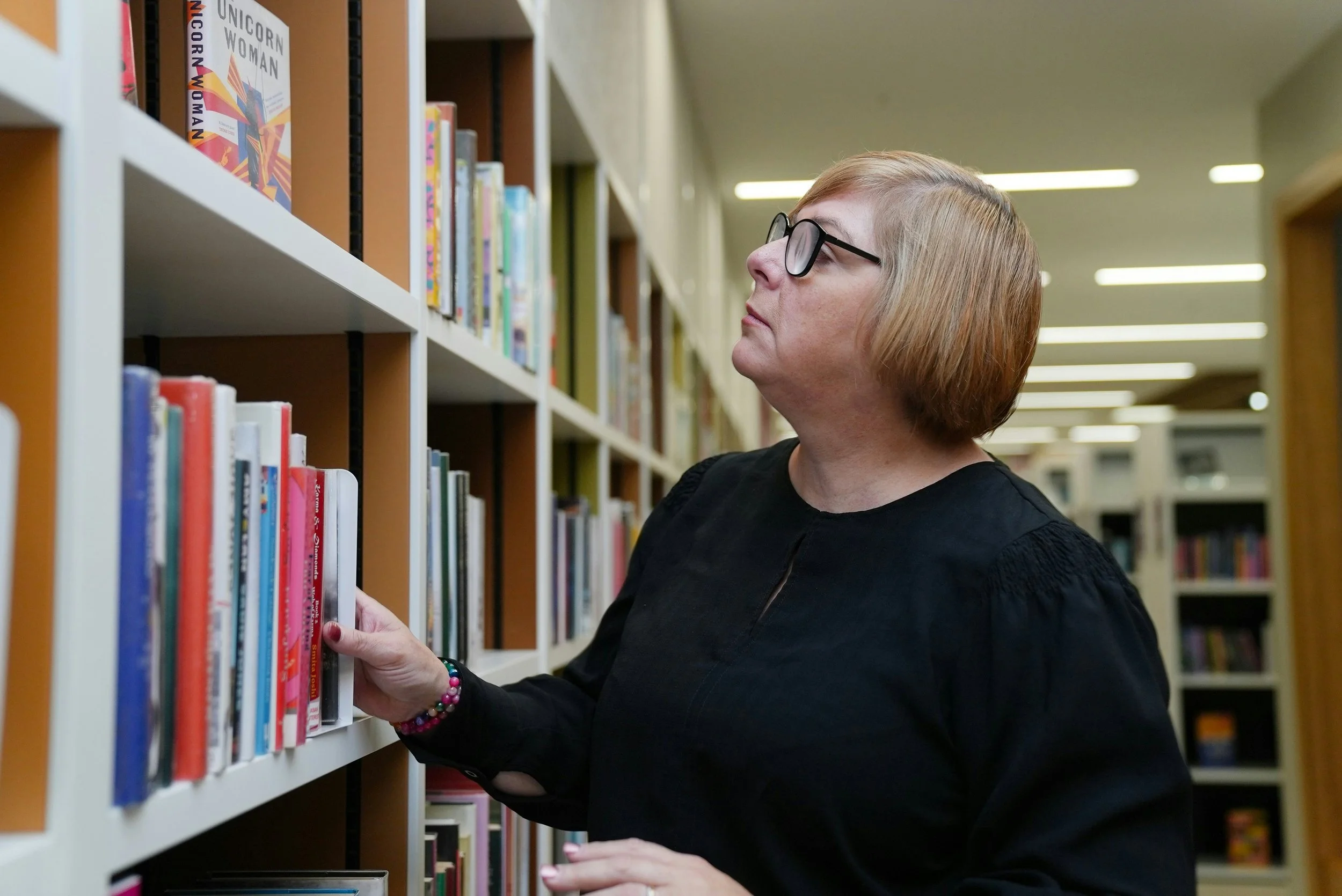
“Backlogs are not just a logistical issue but also an emotional burden for many staff, who
see unprocessed materials as a mark against their professional and ethical responsibilities.
You look at these shelves, and they’re not just materials—they’re histories waiting to be told, and we’re not able to get to them.
This sense of a professional obligation unfulfilled can weigh heavily.”
-Special collections, Reveal Digital
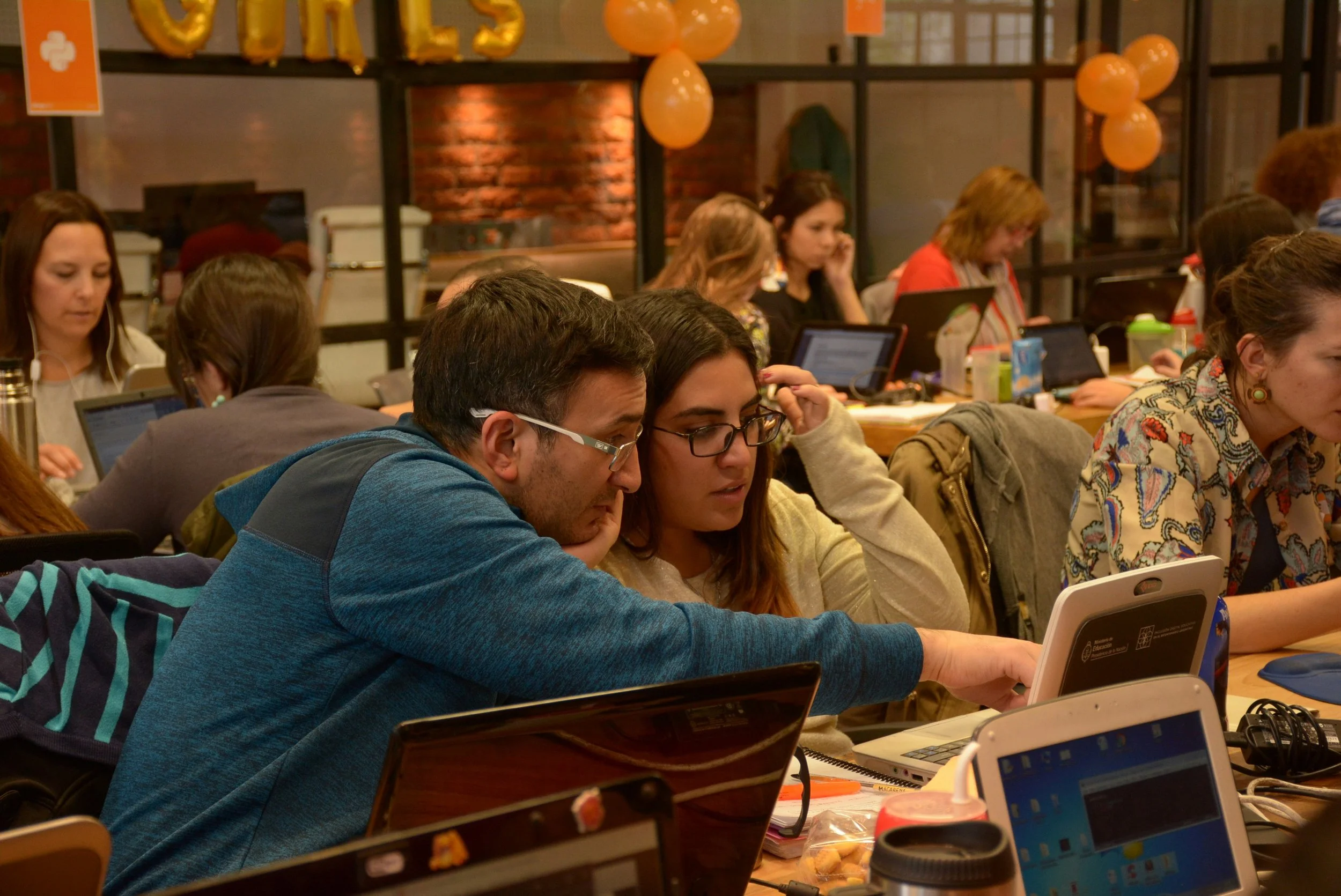
“[The current platform] is “a bit of a dinosaur.” [Student workers] found it frustrating to navigate, and
staff found [content] cumbersome to maintain.
The system’s rigid administrative interface limited who could contribute and how quickly updates could be made...the outdated tool made it difficult to sustain engagement, expand collections, or even train student workers to participate meaningfully in digital stewardship.”
-Rollins College and the University of Puget Sound
User research & Outcomes
Once user research and interviews were completed, I was able to bucket the main issues that would be most helpful to tackle on our new platform:
Limited staff, funding, and time
For most institutions, too much material, not enough staff, and not enough funding posed issues.
As budgets were cut, so was staff, leaving some librarians in charge of a multitude of responsibilities such as scanning, digitizing, filling out metadata, publishing, and preserving.
As stress grew, content was either never uploaded, or uploaded without sufficient metadata.
95% of content remained undigitized or undescribed
Some institutions estimated that up to 95% of their content was undigitized, undescribed, or underdescribed. This wasn’t due to it being "low priority”, but because there was a lack of time and infrastructure.
Unfortunately, without descriptions for content, their items were at risk of being undiscoverable by the general public.
Institutions faced the difficulty of fast-growing collections. As collections grew, their capacity to process them was outpaced. This impacted making content available even to their own students, prompting them to have to ask librarians if they had content on a certain subject of interest since they couldn’t find it online.
Fast-growing collections
By being able to articulate the challenges they faced, I was able to pinpoint where I believed thoughtful design and technology could help.
Defining Sitemap
High-level, new platform sitemap.
Before designing, it was important to make sure what was designed wouldn’t be a steep learning curve.
As outlined above, we wanted to gradually combine Forum features and Seeklight features without disrupting or removing the normal workflows users were used to.
Designs & Flow
Home page.
When introducing a completely new platform, it was crucial to make the interface as easy and intuitive to use. With funds slipping from institution, we wanted to attract them by ensuring that the features we were offering were important, novel, and digestible.Getting started offers three quickstart options with matching visual language and differing icons for easy scanning. As it’s a new platform, no users had used this interface before. This meant that I needed to make sure the home page was optimized for all key flows: Creating a new project, Managing an existing project, or Generating metadata using Seeklight. A bird's-eye view of all possible action paths sends clear messaging of where they can begin.
Recently accessed projects is an especially helpful section as often times different users (student volunteers, librarians, etc.) have access to editing the same projects. By letting different users pick up where others left off, we were able to increase efficiency; users no longer had to navigate to and load their projects page.
JDSS users have an incredible amount of items, so I wanted to build out a dashboard that could give both minute details and a quick skim of their storage communicated by "progress bars". Using typographic hierarchy, elevation choices, and subtle separators, I was able to highlight the key data that users found most interesting.
The reason I made the design choice to use expanding cards for some content was so users could get extra information, yet keep a simple layout:
AI processed items work differently storage-wise. Since Seeklight is an AI processing system, it uses up tokens. When deleting AI processed items, storage will be freed up, however token usage cannot be reversed.
A/V duration are time-based, unlike the other content, so breaking down an institution’s license into raw data was helpful in terms of management that could also include transcript generation.
Statistics.
Upload flow
-
![]()
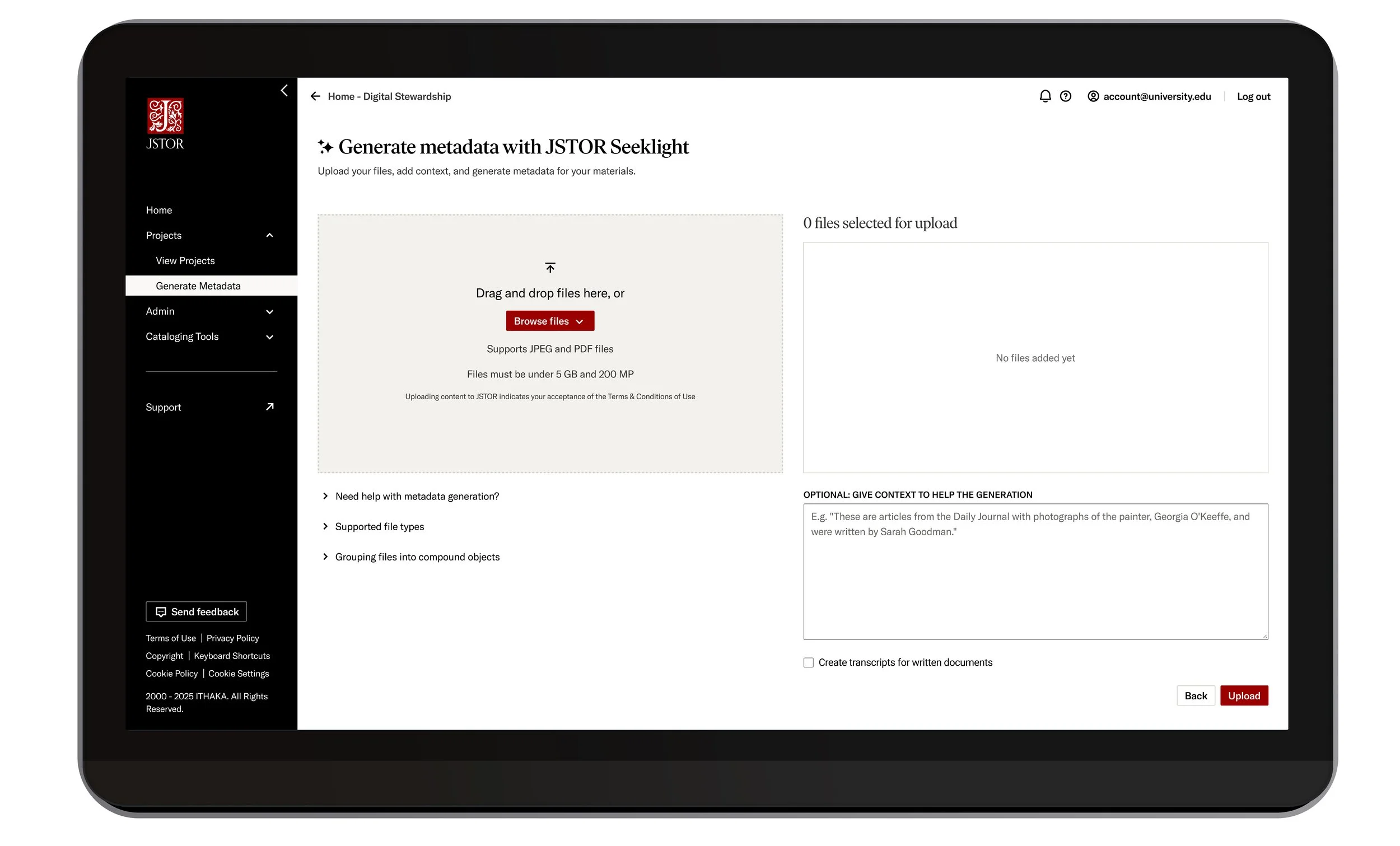
Seeklight's upload UI
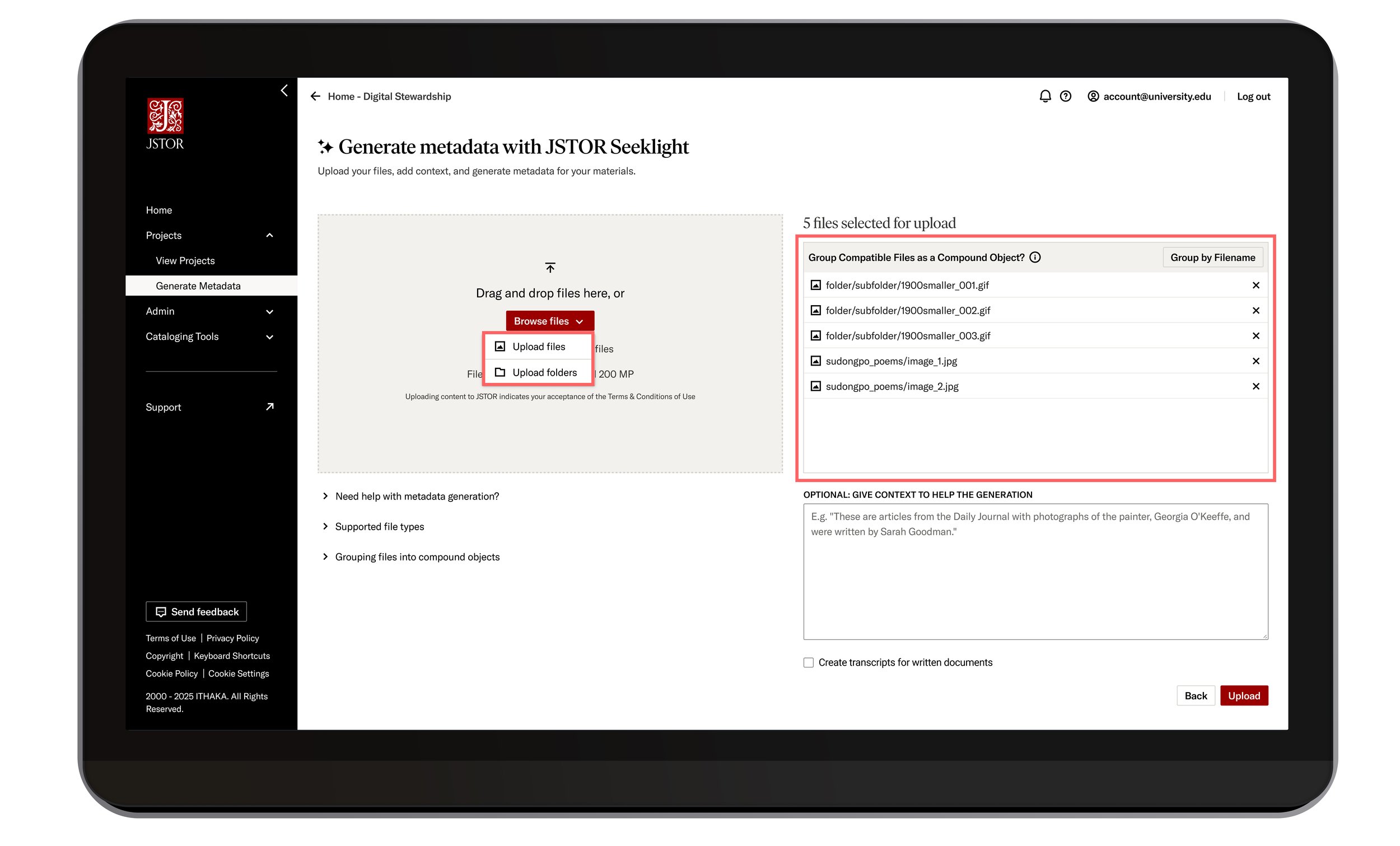
Here, users begin their journey in uploading their content using Seeklight’s AI functionality. -
![]()
Uploading files
SINGULAR FILES
A user can decide to upload file-by-file or entire folders. They are clearly listed out on the right, allowing users to delete singular files (or folders) if needed, without having to restart the entire upload process.
Users can also “Group by Filename”. This allows like-items (such as the front and back of a single postcard) to become one item instead of two separate items. This creates a “Compound Object”. See more on next screen…
-
![]()
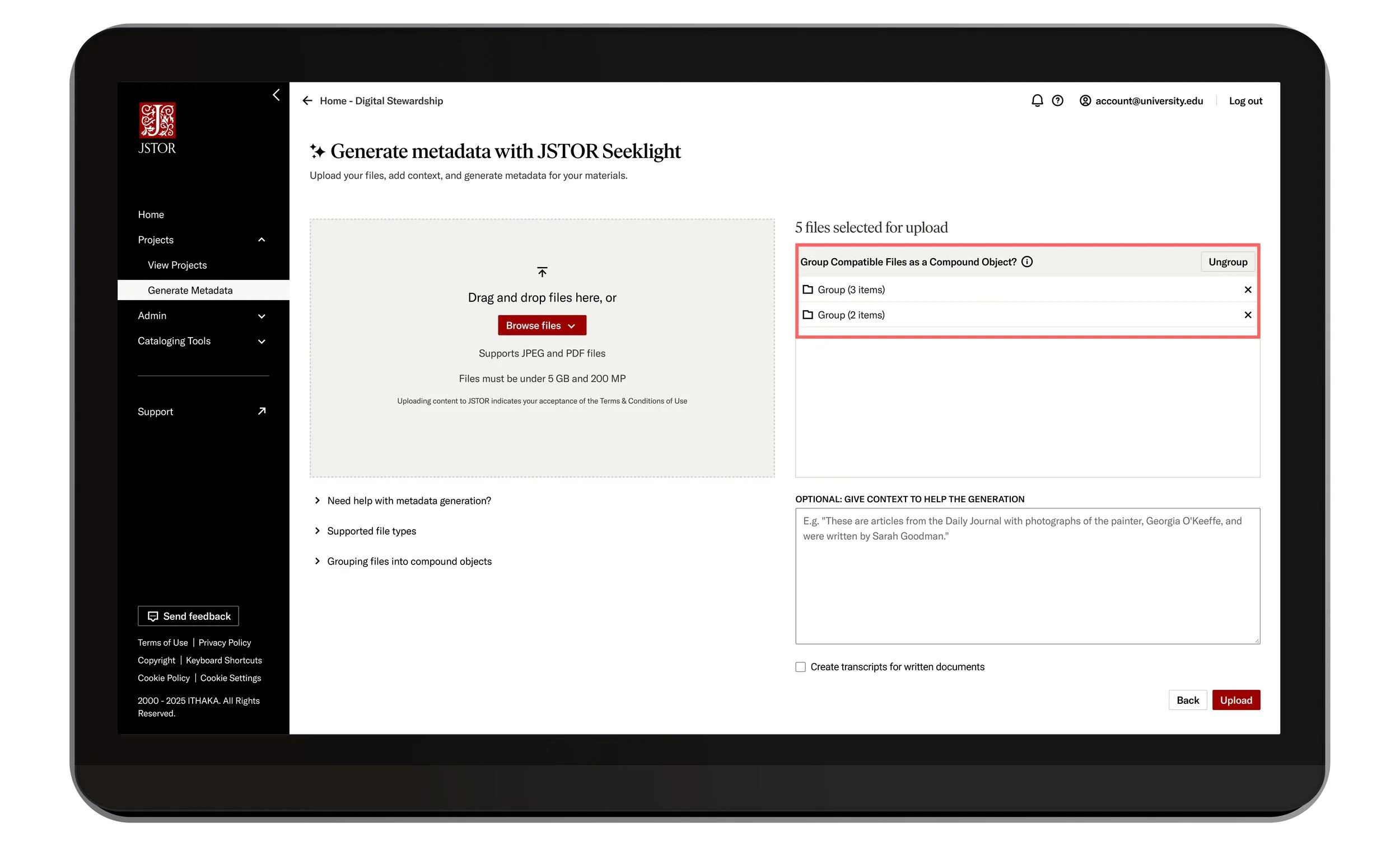
Grouping files
COMPOUND OBJECTS
By clicking “Group by Filename”, the user has created two different file groups. One group contains three different images from a book written in the 1900’s, and the next group contains two images from a postcard.Users can still ungroup and/or delete the folders.
-
![]()
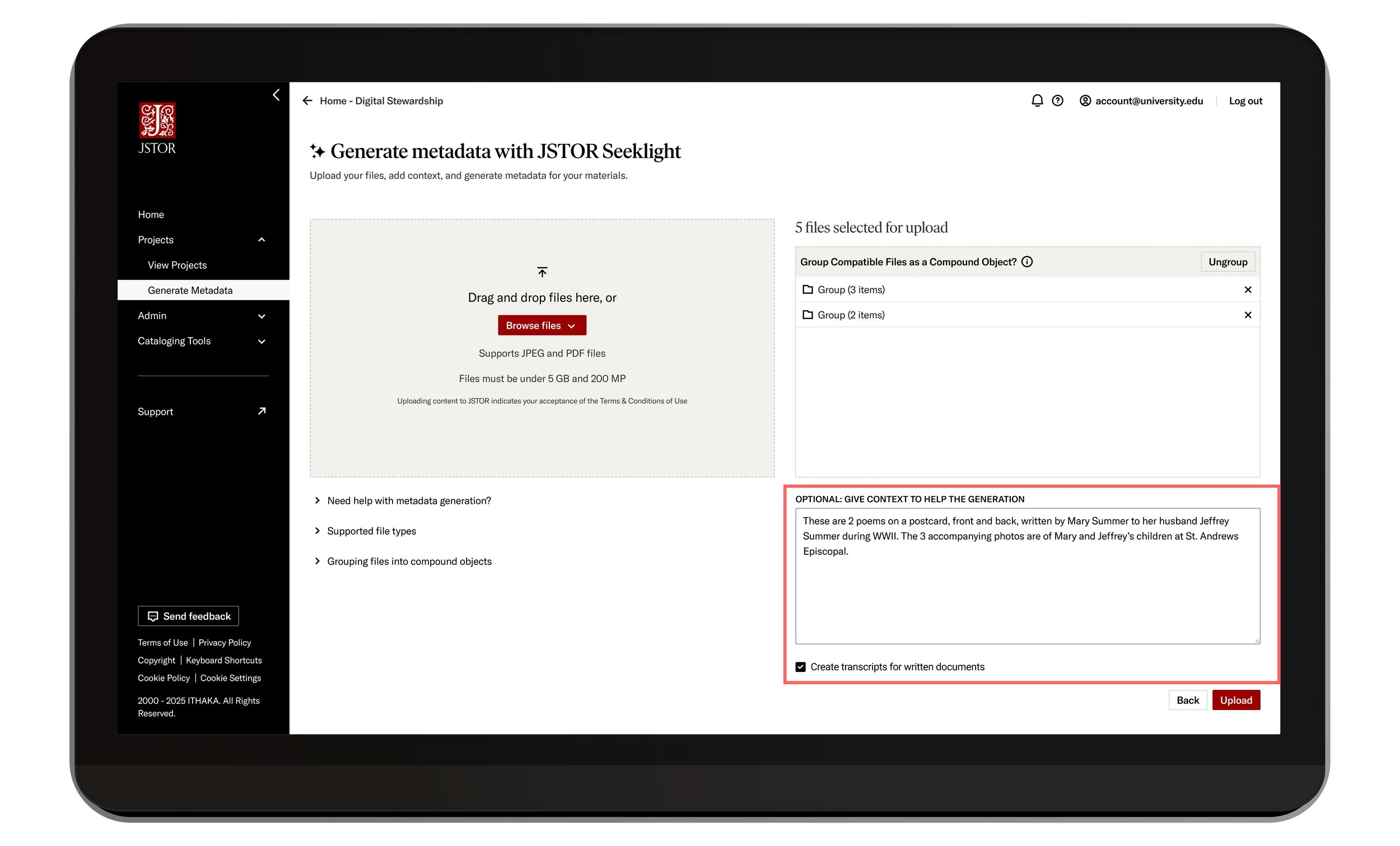
Human guidance
CONTENT AND TRANSCRIPTS
To give users more human-control before the AI generation, they’re able to include context about the materials they’ve decided to upload. By adding context—like collection name, date range, or creator—Seeklight is able to better guide metadata generation.It is optional.
Activity Monitor
Activity Monitor is a space in a project where users can keep an eye on any processing actions their content is going through.
What was especially important was for users to know what type of error their content was experiencing. However, I was making a user assumption that would cause more work for developers. So, I reached out to the Outreach team to request user data.
I found that in 2024/2025, our biggest user issue was unclear error messaging. We had 27 logged tickets in only a few months, and during user interviews, the same issue continued to be flagged.
That allowed me to make a case and work closely with the back-end developers to find a way to surface error types and deliver a much-needed and anticipated experience to our users.
Project page.
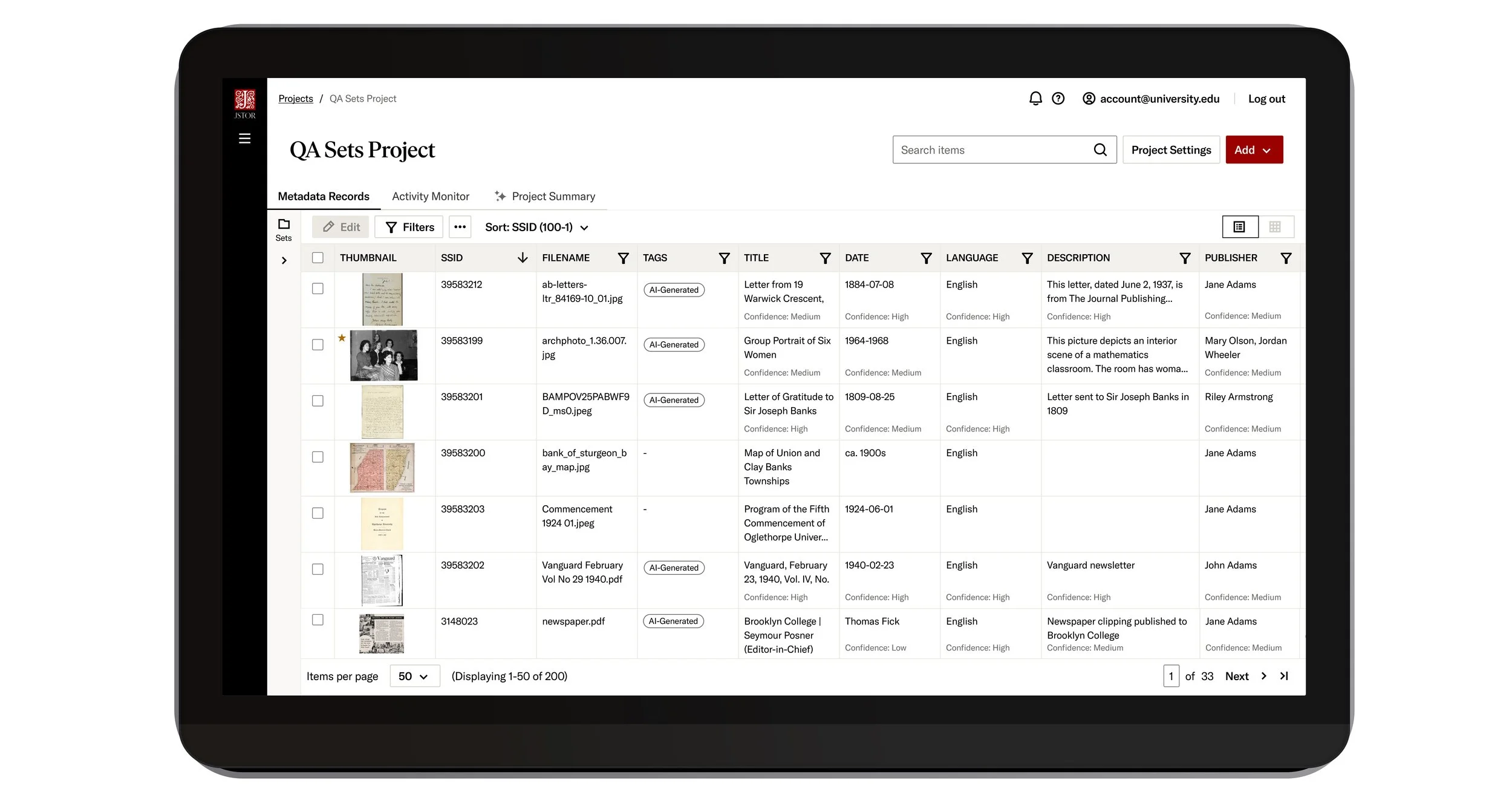
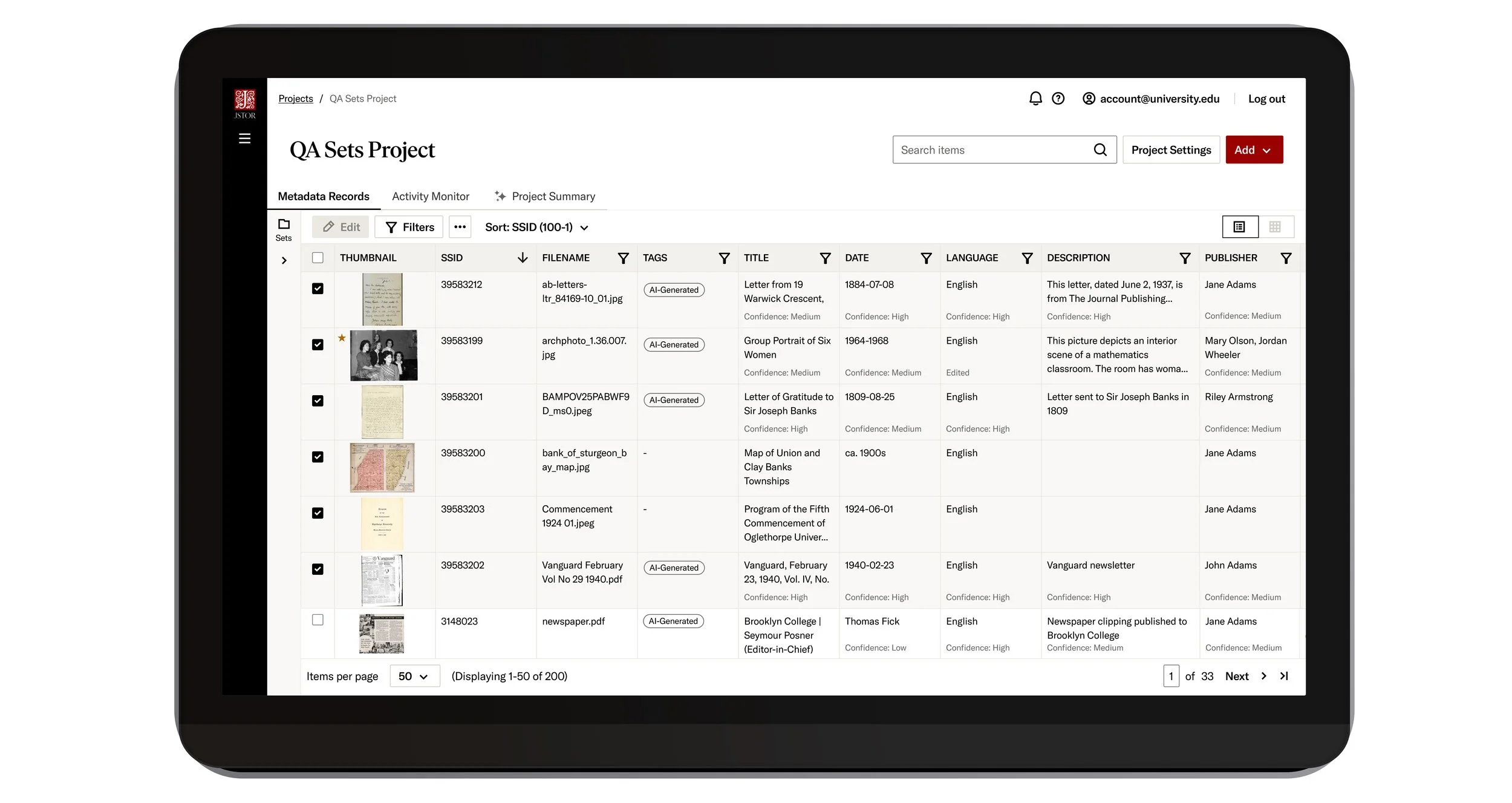
Once Seeklight processing is complete, users will see the raw metadata output of all their items within their project.
Tags are used to instill a sense of comfort when using Seeklight. Because AI can never be perfect, pills are used to communicate the items’ “state”. AI-Generated items are called out, but there are also pills for “Edited” and “Reviewed”.
These tags communicate which items have gone through a manual, human-check, letting others know that they are also ready to be published for public consumption.
Confidence scores indicate the system’s assessment of its generated metadata output. These are seen at the bottom of each cell (if available) and aid in flagging metadata that may have been misinterpreted by Seeklight’s system.
Bulk edit.
-
![]()
Project content
An overview of all items uploaded into a singular project.
-
![]()
Multi-selection for bulk editing
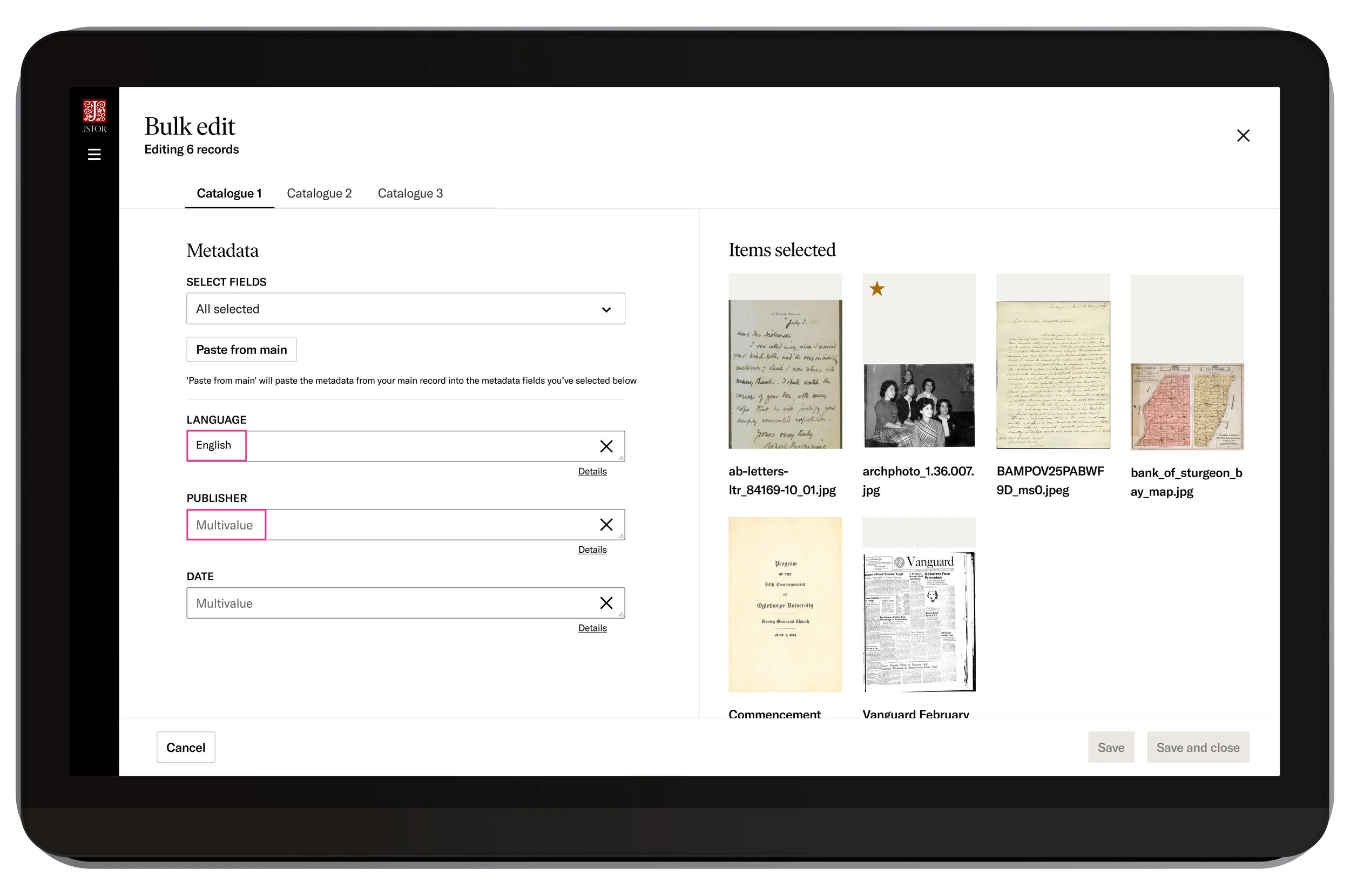
Instead of clicking into each item, users can bulk edit their items. This offers a swifter, more efficient workflow that saves users’ time and effort. -
![]()
Items with different metadata
SAME AND DIFFERING METADATA
When uploading, it’s common for metadata to be different between items. This step allows users to do two important things:1. Double check that specific items have matching metadata (eg. Here, a user is assured all the items they selected are in English)
2. Potentially change or correct metadata that has “Multivalue”. This suggests a discrepancy in the data. Users can free-text or use the Paste from main” button -
![]()
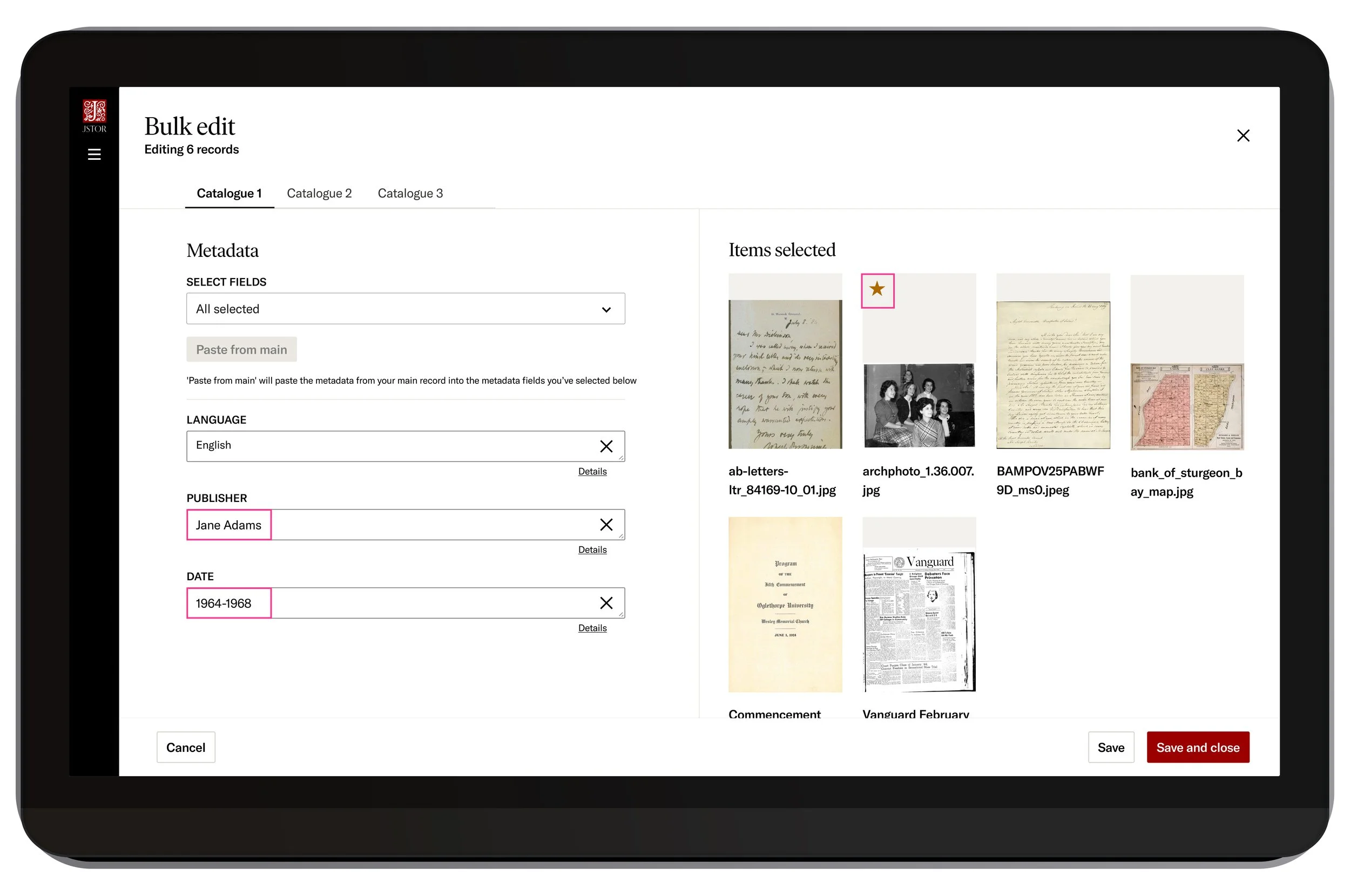
Paste from main
By clicking “Paste from main”, all metadata from the assigned main record (item with the star) will be applied across all selected items. This is especially useful for cataloguers who need to quickly align and edit like-items.
-
![]()
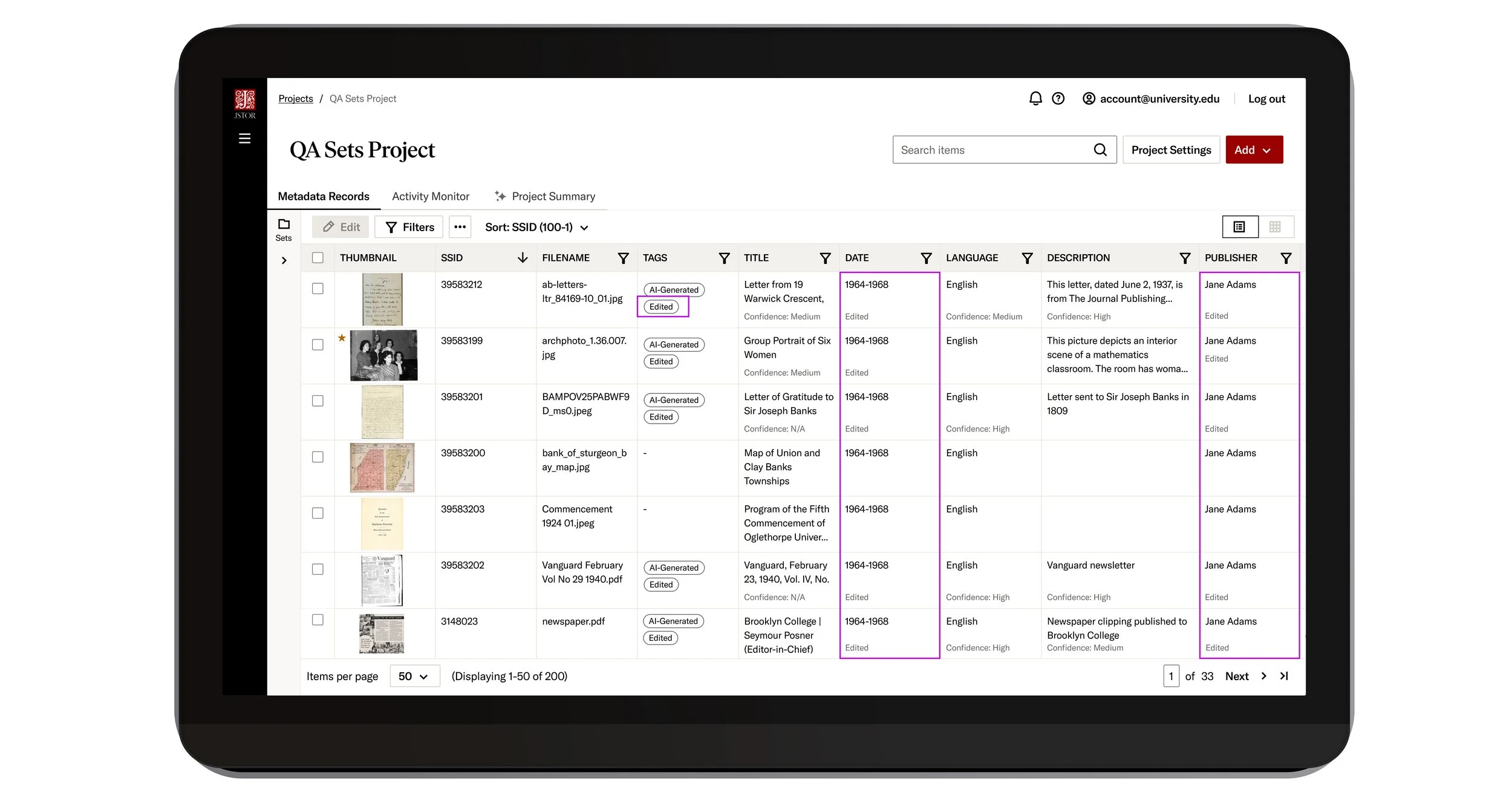
Updated project page
The metadata for each item has been updated to the “Main” item’s metadata. An “Edited” tag has been added under the “AI-Generated” tag, and microtext has been added within each column to signify edits as well.
Item detail page.
Inside an item, users will see their uploaded media on the right and their editable metadata on the left. Since this was run through Seeklight, it has the appropriate tag on the top left and the unselected “Mark as reviewed” button on the top right.
With AI, it’s important to assure users that they are completely in control of what comes out.
Qualitative & Quantitative Outcomes
“With JSTOR Seeklight, we’ve processed more than 500 photographs in under 45 minutes. The scale is really life altering in terms of workload…
— Rollins College
“We see tremendous opportunity in accelerating collections processing to make more collections accessible and discoverable more quickly…Digital innovation like this is central to our new strategic vision, so we are delighted to be in on the ground floor of an initiative that has the potential for great impact on our field.”
— Northwestern University
“RMIT University Library is excited to partner with JSTOR to help shape AI-assisted digital stewardship by exploring how AI can help our University to achieve scalable outcomes,”
— Royal Melbourne Institute of Technology
What to look for next.
With JDSS being a completely new offering, majority feedback was qualitative. There was not enough user data to compare platform usage activity. However, as time passes, the data I anticipate being most useful for iterative discussions will be:
Time Spent
Drop-off Rates
Support Ticket content.